


GBA Emulator - 90s Retro Games
4.71.01K Reviews
App Specs
- Version
- 1.2.81
- Updated On
- License
- Free
- Downloads
- 1,000,000+
- Developer
- serplabmob
- Categories
- Arcade
- Platform
- Android
Screenshots
 Analysis by AppCompare
I like arcade games best when they get me playing quickly and don’t ask for a long stretch of concentration. GBA Emulator - 90s Retro Games is built around that kind of quick return to old-school handheld play: open the app, pick a game you’ve brought along, and settle into familiar pixel art. It is a game app from serplabmob, and its appeal is less about introducing a new style of play than making a phone feel like a convenient place to revisit the Game Boy Advance era.
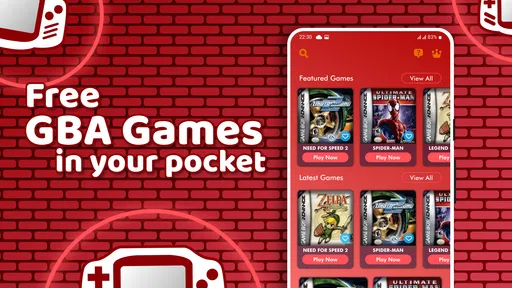
That convenience comes with one important distinction: this is an emulator, not a ready-made library of games. If you already have game files you can use, it can be a straightforward way to play them on a phone. If you expect to install it and immediately browse a collection of included classics, the first step may feel less simple than the nostalgic pitch suggests.
Getting Started with the Emulator
The first thing I noticed about this app is how easy it is to set up. Just a quick download from your app store, and you’re ready to go. The interface is straightforward, which is great because who needs a complicated setup when you’re itching to play your favorite retro games?
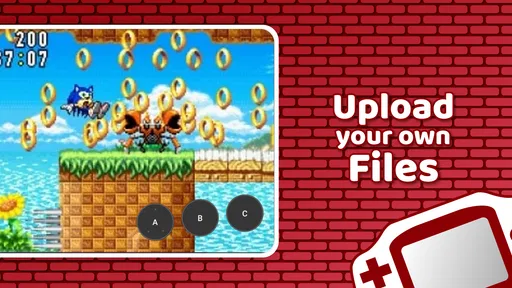
Once the app is installed, you’ll need to load your ROMs. If you’re unfamiliar with the term, ROMs are digital copies of the games you own. The app doesn’t come with any games preloaded, but a quick Google search will point you in the right direction. Loading ROMs into the emulator is a breeze, and before you know it, you’re back in the world of 8-bit wonders.
What to expect before your first session
The most useful thing to know before downloading is that having the emulator and having games to play are two separate matters. I would sort out a legitimate source for game files before setting aside time for a first session; that avoids opening the app on a commute or during a break and discovering that the part you wanted to do—play—still depends on preparation. Treating the file step as part of setup makes the experience much less frustrating.
There is also a practical difference between an emulator and a curated retro collection. A collection usually puts its available games in front of you immediately, while this app is for people who want to bring compatible files into an emulator. That flexibility is useful if you already know what you want to play, but it is not as convenient for someone who just wants a ready-to-go menu of licensed games. I would skip it if sourcing and organizing files sounds like a chore rather than part of the hobby.
For a first test, I’d begin with one game file rather than moving a whole library onto the phone. That gives you a chance to check that the file is recognized and that the controls feel comfortable before investing effort in organizing more. It is a small workflow choice, but it makes troubleshooting easier: if something does not work, there is only one new variable to check instead of a pile of files and settings.
Worth Reading Before You Choose

EA SPORTS FC Mobile 26 Is a Bigger Football Game, but It Takes Time

Flipboard Shows What News Apps Must Do Beyond the Feed

Switching to Android Auto Means Rethinking Your Driving Routine

Google Calendar Makes a Crowded Week Easier to Manage

Ludo King Makes the Most of the Minutes Between Plans

Baby Panda World Brings Quick Play to Modern Phones, but Its Game Library Feels Busy
Features That Bring Back the 90s
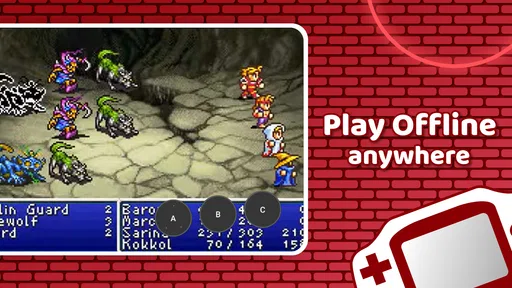
One of the standout features of the GBA Emulator - 90s Retro Games is its ability to support a wide range of GBA titles. From legendary classics like Pokémon and Mario Kart to hidden gems you might have missed, this emulator has you covered.
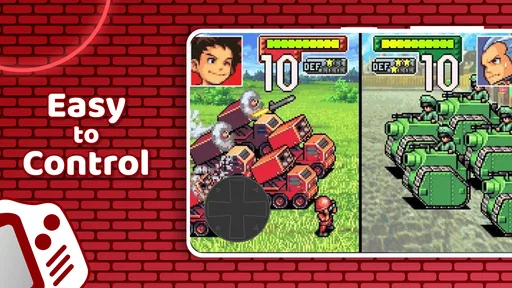
Another cool feature is the customizable controls. You can tweak the on-screen buttons to fit your gaming style, which is a nice touch. Plus, there’s support for external controllers if you’re aiming for that authentic console feel.
On a phone, control layout is not a minor cosmetic choice. Buttons that sit comfortably for a short platforming stage may feel cramped during a longer session, while moving them to suit your grip can make the difference between a relaxed break and repeated mis-taps. I’d adjust the layout before judging a game’s difficulty, then keep the changes modest so the screen does not become harder to read. A physical controller is worth considering if you already own one and play games that demand precise directional input; for a casual puzzle or turn-based stretch, touch controls may be perfectly adequate.
Controller support also changes where this emulator makes sense. With touch controls, it is an easy fit for a phone-in-hand break. With an external controller, it can work better when you have a stable seat and room to hold the device comfortably. Neither approach is automatically superior: a controller adds familiarity and precision, but it also makes a spontaneous two-minute session less spontaneous if you have to fetch and pair extra hardware.
What really hit the nostalgia button for me was the inclusion of cheat code support. Remember the days of GameShark and Action Replay? Yep, this emulator has got that covered, so you can unleash all those fun hacks and tricks just like back in the day.
Cheats are most enjoyable when they serve a purpose instead of flattening every challenge. I’d use them selectively—for example, to experiment with a game you have already finished, or to get past a stubborn section when you mainly want to see what comes next. If you are learning a game for the first time, leaving them off preserves the original rhythm and makes progress feel earned. The trade-off is simple: cheats can turn a short return into playful experimentation, but too much help can also remove the reason to replay.
Performance and Usability
Performance-wise, this emulator doesn’t disappoint. The games run smoothly, and I didn’t experience any lag or crashes during my time with it. The graphics stay true to the original, giving you that authentic retro vibe without any hiccups.
That kind of faithful presentation is a plus if what you want is the original look rather than a modern remake. It also means the games retain their old visual scale and design assumptions; a phone screen does not magically make small details larger or replace the feel of a dedicated handheld. I’d try a title with clear menus and readable text first, especially if I planned to play without a controller, then decide whether the screen and button arrangement suit the games I care about most.
Battery consumption is another thing I was pleasantly surprised by. Emulators can sometimes be power-hungry, but this one seems to have found a balance, allowing for extended gaming sessions without draining your battery too much.
Even when performance feels comfortable, I would treat an emulator session like any other phone activity: if you are heading out with a low battery, a long play stretch may not be the best use of it. The practical strength here is that the game does not require the ritual of setting up a console and television, not that every situation is ideal for gaming. A short wait or a quiet moment at home is a better fit than trying to play while you need to keep your attention on something else.
Short sessions, pauses, and coming back
The most natural use I found for this kind of setup is a small gap in the day: waiting for an appointment, sitting on a train, or taking a quiet break after work. A familiar game can make ten minutes feel satisfying without demanding that I plan an evening around it. For that use, the key is choosing a game whose progress survives being interrupted in a way that suits you. A level-based game can offer a neat stopping point; a longer adventure may ask you to remember what you were doing when you return.
I would not assume every retro game handles interruption in the same way. The emulator may be the same, but the game’s own pacing determines whether it is easy to put down. Before starting something that feels like a substantial commitment, I’d check how its natural stopping points work and avoid beginning a tense stretch when I know I may need to leave at any moment. That is more useful than expecting every title to behave like a modern mobile game designed around brief bursts.
If you are interrupted, returning is also easier when you make a small mental note of your goal—reach the next stage, find a particular item, or simply replay a favorite section. That is especially helpful with older games that can be less explicit about what to do next. The emulator makes access convenient, but it cannot remove the need to keep track of a game’s own objectives or pacing.
Replay value and the right kind of nostalgia
Replay value here depends largely on what you bring to it. A game you already love can be a comfortingly familiar choice, while a title you missed the first time can become a small discovery project. Cheat support gives experienced players another way to revisit old favorites, and customizable controls let you refine the feel of play. Those are meaningful reasons to return, but they do not turn every game into an endless source of fresh content.
I also think it helps to separate nostalgia from convenience. Remembering a game fondly does not guarantee that its pacing, interface, or challenge will fit the way you use a phone today. The best approach is to pick something you genuinely want to play now, not just something you feel you ought to revisit. If a game’s older design starts to feel like work, switching to a different title is a better choice than forcing a nostalgic mood.
Against the usual alternatives, this app sits between a dedicated handheld and a ready-made mobile retro collection. It is more portable than carrying another device and can be more flexible than a collection limited to its included games, but it asks you to bring your own files and accept phone controls or arrange a controller. Someone who wants a simple, legally packaged selection with no setup should look for a licensed collection instead. Someone who already has compatible files and values having them on a phone is much closer to the audience this emulator serves.
Who will enjoy it—and who may not
I’d recommend it most to people who already understand the basics of emulation, have game files they can use, and want a lightweight way to revisit handheld favorites in everyday gaps. It can also suit a curious player who is willing to do a little setup and is interested in how older games feel on a touchscreen. The app is free to download, and it is rated for Everyone, so its basic audience is broad; that does not remove the need for adults to make sensible choices about files and in-app spending.
It is a weaker match for anyone expecting a built-in catalogue, a console-like experience without extra setup, or a large phone screen to reproduce the original hardware exactly. It may also frustrate players who dislike touch controls and do not own an external controller. If you want modern conveniences and carefully adapted interfaces more than the original handheld feel, a remake or a mobile game designed for current screens may be a better fit.
The game has a 4.8 average from around 32,000 ratings, with more than a million installs, so it has found a sizable audience. I take that as useful context rather than a guarantee that it will suit every phone or every game file. The developer is serplabmob, and the current version is 1.2.72. There are in-app purchases, priced from $1.99 to $29.99 per item, so I would check the purchase screen carefully and avoid spending unless the offer matches something I actually want. The app itself is free, which makes trying its basic approach low-commitment, but the separate game-file step still matters.
Why You’ll Love It
If you’re a fan of retro gaming, the GBA Emulator - 90s Retro Games is a must-have. The app does a great job of bringing your childhood favorites to your fingertips, and it doesn’t bog you down with unnecessary features.
With a user-friendly interface, robust performance, and support for all your favorite games, this emulator is a solid choice for anyone looking to take a trip down memory lane. Whether you’re a seasoned gamer or someone looking to discover what the fuss was all about in the 90s, this app is a great way to experience the magic of the Game Boy Advance era.
So, if you’re ready to relive those pixelated adventures, give the GBA Emulator - 90s Retro Games a try. Trust me, your inner child will thank you!
My casual verdict
For me, the strongest case for this emulator is immediate access to familiar handheld play in the small spaces of an ordinary day. Its controls, cheat support, and retro presentation give returning players a few ways to make that time their own, while its performance felt smooth in my sessions. The caveat is that the experience begins with preparation: you need suitable game files, and not every old title will be equally comfortable on a touchscreen or easy to resume after a break.
Version 1.2.72 requires Android 7.0 or later, and the game was released on December 12, 2023. If your phone meets that requirement and you are happy to manage your own files, I think it is worth trying as a practical arcade-style doorway to games you already know. If you want a licensed, ready-to-play library or a polished modern remake, choose that instead. For the right person, though, this is a handy way to turn a few spare minutes into a satisfying return to portable gaming.
Pros
- Wide selection of classic games available.
- Smooth and responsive gameplay experience.
- Customizable on-screen controls.
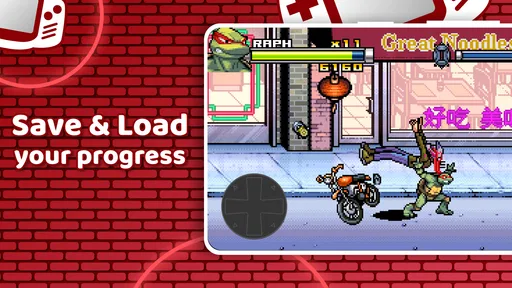
- Supports save states for progress.
- Lightweight and low battery consumption.
Cons
- Ads can interrupt gameplay at times.
- Limited multiplayer functionality.
- Some ROMs may not be compatible.
- No built-in game library organization.
- Requires manual ROM downloads.
FAQs for GBA Emulator - 90s Retro Games
Is GBA Emulator - 90s Retro Games free to download and use?
Yes, GBA Emulator - 90s Retro Games is free to download and use. However, the app may include optional in-app purchases to enhance your gaming experience, such as removing ads or unlocking additional features. Check the app store listing for details on these purchases.
What devices are compatible with GBA Emulator - 90s Retro Games?
GBA Emulator - 90s Retro Games is compatible with most Android and iOS devices. Be sure to check the app’s requirements on the Google Play Store or Apple App Store to ensure your device meets the minimum specifications for optimal performance.
Can I save my game progress in GBA Emulator - 90s Retro Games?
Yes, you can save your game progress in GBA Emulator - 90s Retro Games. The app supports save states, allowing you to pause and resume your game at any point. This feature ensures you can pick up right where you left off, even if you switch devices.
Is it legal to use GBA Emulator - 90s Retro Games?
Using the emulator itself is legal, but you must own the original copies of the games you wish to play. Downloading ROMs of games you do not own is illegal and against copyright laws. Always ensure you're using the emulator in compliance with legal guidelines.
How do I load games onto GBA Emulator - 90s Retro Games?
To load games onto GBA Emulator - 90s Retro Games, you need to have the ROM files of the games you own. Once you have the ROM files, you can upload them to the emulator through the app interface and start playing. Ensure your ROMs are legally obtained.


